

Listen to this article
Partnerships with schools and pedagogical activities for children Discover how you learn by playing with Roblox. Here you'll find out how to create games, practice new skills, stay safe, and see how teachers prepare. This content offers ideas for clubs, workshops, materials, and ways to measure what you've learned, all explained simply for you and your guardian.
Key learnings
- You make games that teach.
- You speak with the teachers whenever you need to.
- You use easy toys and books.
- You invite families to participate.
- You observe if the children are happy and learning.
Partnerships with schools and pedagogical activities for children
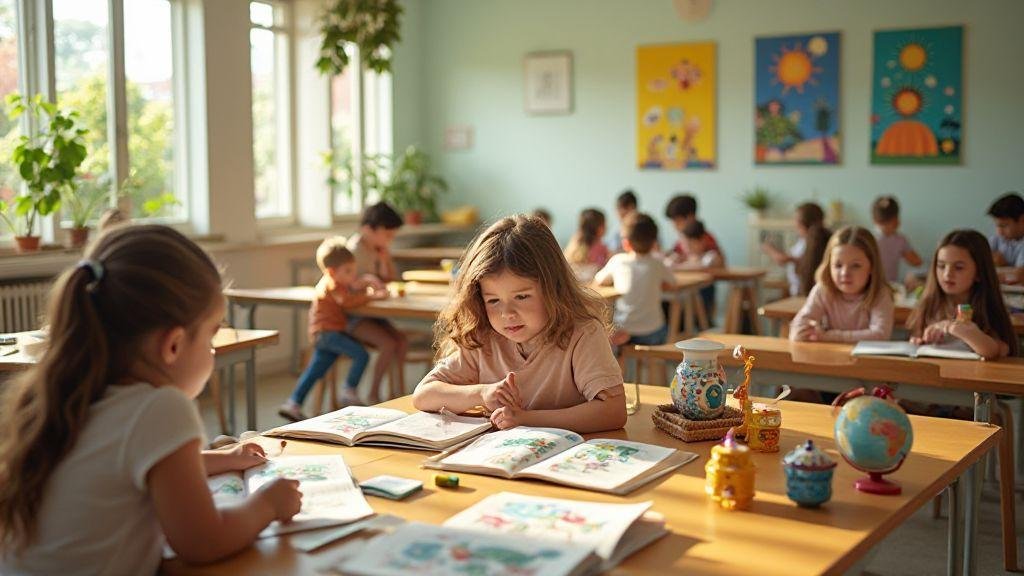
Can you imagine Roblox becoming a way to learn through play? When schools team up with creators and communities, educational activities for children emerge and come to life interactively. These partnerships help you understand math, science, and storytelling in a hands-on and fun way. Teachers monitor your progress as you explore worlds created by other students and professionals, turning Roblox into a learning tool that doesn't feel like a classroom, but a mission of discovery.
This collaboration opens doors for long-term projects, connecting theory and practice. Building virtual models, planning stories with a beginning, middle, and end, or solving simple logic problems help keep learning meaningful without losing the joy of play. Adults see that you practice useful everyday skills, such as collaboration, organization, and curiosity, while staying focused on studying through activities you already enjoy.
For those already playing, partnerships help create a safe ecosystem with clear rules and supervision. Teacher progress dashboards allow you to track their advancement, with open feedback. At the end of the project, you can present what you created to the class, receiving feedback that propels you toward the next challenge with more confidence.
Quick tips for leveraging school partnerships in Roblox:
- Participate in activities that combine creativity with hands-on learning.
- Use teacher feedback to improve your games.
- Explore content that connects basic math, logic, and storytelling.
This graph illustrates progress in academic gains, such as improved reading of instructions, writing short justifications, explaining ideas, organizing steps, and applying logic.
Evidence of school gain (continued)
- Improved reading of instructions and writing of simple justifications.
- Ability to explain ideas to the group, organize project steps, and apply logic to simple problems.
- Teacher rubrics help you see how much you've evolved since the beginning of the semester.
Note: Each school may measure progress differently, but the goal is to track your ongoing growth, especially when you apply what you’ve learned in the classroom.
How do you learn by playing with educational activities for children?
You learn best by exploring. In educational activities with Roblox, you test ideas and see immediate results. For example, building a theme park with simple physics rules helps you understand why certain objects fall or spin. You also practice reading by writing short stories that justify in-game actions. Thus, learning becomes a "what if...?" game driven by curiosity and a fearlessness of making mistakes.
Teamwork is another positive aspect: in groups, you decide who does what, divide tasks, and exchange feedback. Each person brings a unique perspective to the world, which strengthens the team's work. In the end, the result becomes a fun experience for the group.
Simple goals help keep everything clear: build something functional, write a justification, or demonstrate a working game setup. With each challenge, you gain the confidence to try new things while keeping the essentials in focus: learning through play in Roblox, with school supervision.
Helpful tip: Read the teacher's instructions carefully and ask for help when something seems difficult. You're not alone in this.
Skills you practice when creating games
When creating games, you develop several useful skills:
- Logical thinking: planning steps so the game works flawlessly.
- Planning: drawing what happens, the order, and how people interact.
- Communication: Explain your ideas clearly.
- Troubleshooting: adjust rules, fix bugs, and retest.
- Collaboration: working with others to align goals.
- Responsibility: taking care of what you create, thinking about safety, and meeting deadlines.
For those just starting out, take it slow. Begin with small goals, like a classroom within the game, and gradually increase the complexity to feel progress without major difficulties.
Safety and security in early childhood education partnerships
Safety is key when you use Roblox at school. Parents and guardians can adjust settings to keep everything safe by choosing who can chat with you, what appears on the screen, and what can be seen. Clear rules help you understand what’s allowed.
Protection is not a one-person job. Teachers, guardians, and the platform need to work together. Content is usually filtered in school environments, keeping everything appropriate for children. Pay attention to signs that something is not right and ask for help.
Summary: Partnerships with schools and educational activities for children offer simple rules, easy-to-understand controls, and a team that looks after their well-being. Safety starts with you, continues with your guardians, and is strengthened by the platform's policies.
Safety tip: Always ask your supervisor for guidance when trying new activities. Safety is more fun when it's shared.
Easy controls for you and your guardian
- Ask the responsible person to create a secure profile with conversation and content limits.
- Use child mode to simplify the options.
- Combine simple rules with your guardian: play only with supervision, don't add strangers, and don't share personal information. If something seems strange, stop and tell your guardian.
Summary: Simple controls help you explore Roblox responsibly, keeping playtime safe.
Roblox Moderation and Rules for Kids
The rules help you know what you can do. Moderation acts when someone breaks the rules, to keep the community safe and enjoyable. Content is evaluated by moderators, especially in activities with schools. If something isn't right, let the person in charge or the teacher know to activate moderation and adjust the content.
Rules and moderation ensure a safe environment where you learn by playing. Following the rules increases confidence to face new challenges.
Official policies and filters
Roblox implements official policies and filters to keep conversations and content appropriate for children, blocking inappropriate words and limiting interactions with strangers. In partnership with schools, these policies are strengthened with school supervision. Image, link, or code content must follow the rules; if something seems out of line, seek out the person in charge.
Teacher training for school-project partnerships
Teacher training is essential for Roblox to be used safely and effectively in partnership with schools. The goal is for teachers to feel confident in planning, implementing, and adapting projects that connect technology, gaming, and real-world learning. Focusing on methodology, digital safety, and formative assessment helps make each lesson meaningful.
The training involves a partnership between the school and the community. The teacher acts as a link between the classroom, tutors, parents, and organizers. Clear objectives, aligning what the school wants to teach with what Roblox offers pedagogically, help maintain continuity. Adapting activities for different ages, learning paces, and levels of access to technology is crucial for curricular impact.
Training doesn't stop at the initial implementation. Planning, reviewing, and improving in cycles brings partnerships to life, with novelties that keep students interested.
How do you see the teacher preparing
The professor starts by defining simple, measurable goals, such as creating a small educational game or explaining a scientific idea using Roblox. Simple rubrics help with assessment: creative idea, use of resources, group cooperation, and final presentation.
The classroom becomes an experimentation space. The teacher follows the students' steps, offers timely support, and encourages questions, curiosity, and feedback among peers. It is also essential to discuss digital safety with students: what is appropriate, how to protect information, and how to deal with inappropriate content.
Roblox teaching materials for lesson plans
To use Roblox in the lesson plan, have simple and accessible resources:
- Teacher account on the platform, with permissions to create educational environments.
- Scenarios connected to curriculum content (mathematics, science, arts).
- Short tutorials and a script with steps, timings, and responsibilities.
Prepare supporting materials: vocabulary sheets, activity guides, and safety checklists. Record usage examples in video or photos to discuss with the class later. Keep everything simple, with clear instructions.
Guides and courses available
Look for guides and courses that explain how to create projects with Roblox, align with the curriculum, and maintain inclusive learning. A good guide includes objectives, evaluation rubrics, activity examples, and planning templates to adapt to your class.
Practical tip: look for courses that present real case studies from schools that have already successfully implemented Roblox to anticipate challenges.
Practical implementation part
Start with a simple pilot project. Plan a short activity, organize teams, define roles, and establish a feedback routine. Record objectives, techniques, challenges, and solutions to plan the next round. Over time, practice becomes routine in the school, strengthening the relationship between school, technology, and learning.
Educational extracurricular activities and school recreational activities
Educational extracurricular activities and recreational activities help you learn in a fun way. Playing Roblox with purpose strengthens collaboration, planning, and creativity. Transforming games into real school projects makes it easier to learn curriculum content, develop social skills, and present results to the class.
Quick tips to get started:
- Combine curiosity with simple, measurable goals.
- Participate in group activities to develop social skills.
- Record what you learned in a notebook or presentation.
Roblox Creative Clubs for Your Class
Roblox clubs help immerse participants in practice. In each meeting, every student chooses a task (3D modeling, simple programming, or level design). The club creates a safe space to experiment with ideas without fear of making mistakes, with the goal of learning together.
To start, choose topics aligned with the curriculum. In each session, set short-term goals and show examples of what will be built. Use Roblox Studio to explain basic concepts of physics, programming logic, and storytelling. At the end, each participant presents what they created, practicing communication and valuing everyone's effort.
Note: Maintain safety and privacy rules, and use child-appropriate content.
Games and workshops as pedagogical activities for children
Games and workshops can be great allies for learning when used with clear objectives. Transform Roblox into pedagogical activities that teach math, science, reading, and citizenship. Propose short challenges: build a stable bridge, write an interactive story, or solve riddles with logic. Everything happens in a playful way, making it easy to learn without realizing it.
Develop short cycles: idea, build, test, and present. During testing, evaluate what works and what doesn't, fostering critical thinking. Ask yourselves and your colleagues to explain what you learned and how decisions influenced the outcome. Use simple visual aids (charts, flowcharts) to aid comprehension. If you encounter difficulties, help each other, maintaining a positive atmosphere.
Practical tip for the workshop: use a whiteboard or bulletin board to draw the game's mission map and ask everyone to add a piece of the solution, reinforcing teamwork.
Session and activity models
Simple session model you can adapt:
- Opening (5 minutes): Explain the objective for the day and present a quick example.
- Warm-up (5 minutes): Quick collaborative activity or problem-solving with Roblox.
- Main activity (25 minutes): group building, programming, or storytelling.
- Sharing (10 minutes): Each person shows what they did and what they learned.
- Wrap-up (5 minutes): summarize learnings and plan the next session.
Organization tips: adjust timings according to the class and maintain focus on learning, cooperation, and respect for ideas; record what worked well for future sessions.
Quick Tracking Table (Example):
- Task, Responsible, Progress, Observation
- Build basic level, John, In progress, Check collisions
- Game Story, Lara, Completed, Needs Revision
- Testing physics, Pedro, In progress, Adjust gravity
Educational projects in partnership with the school and community, and collaborative pedagogical resources
Partnerships between schools, communities, and collaborative educational resources bring learning closer to real life. Short projects involving residents, local clubs, libraries, and organizations help make Roblox a positive educational tool, connecting knowledge with practice.
Start with integrated activities involving science, art, and technology, with a Roblox-inspired challenge to teach logic, cooperation, and respect. Your child can participate in simple steps that culminate in an educational game. Shared pedagogical resources, guides, worksheets, and short video lessons should be available at school and online to facilitate continuity between home, school, and community.
Tip: Focus on activities that strengthen social skills and critical thinking—something that school partnerships and pedagogical activities for children often foster.
How does your school partner with other schools and organizations?
Your school can start partnerships with local organizations with simple steps:
- Form a committee with teachers, students, and community representatives.
- Map supporters: museums, community centers, libraries, and robotics clubs.
- Define clear objectives, connecting the curriculum with Roblox in a pedagogical way.
Create simple activity itineraries, such as educational game workshops with basic programming resources. Keep everything accessible, with flexible schedules and short activities, to fit into families' routines. Document everything with photos, videos, and reflections to maintain sustainable momentum and demonstrate impact.
Collaborative pedagogical tools and resources help democratize knowledge: guides, videos, worksheets, and educational Roblox content. A timeline of activities with simple goals facilitates tracking, with support materials such as short videos, infographics, and checklists.
Real-life examples of partnership:
- Local school and library promote a positive Roblox week, with educational games and interactive stories.
- Community institution offers coding workshops with community presentations, strengthening communication and cooperation skills.
Real-world partnership examples
- A school and a library are creating a positive Roblox week with educational content and messages of empathy.
- Community institutions promote coding workshops for children and adolescents, with public presentations that strengthen communication and teamwork.
Table: Key Components of School Partnerships: Pedagogical Activities for Children
- Component: Partnership Committee – What it involves: Representatives from the school, community, and organizations – Benefit: Aligned planning and shared decisions
- Component: Clear Objectives – What it involves: Learning and participation goals – Benefit: Measurable focus on results
- Component: Collaborative Resources – What it involves: Guides, videos, spreadsheets, educational Roblox content – Benefit: Constant access to support materials
- Component: Learning Spaces – What it involves: Schools, libraries, community centers – Benefit: Varied environments that foster curiosity
- Component: Assessment and Feedback – What it involves: Reports, photos, student accounts – Benefit: Continuous improvement and family engagement
Trends and results of educational programs for children in partnership
Partnerships involving Roblox as an educational tool show increased participation, cooperation, critical thinking, and problem-solving. Gamification helps reduce classroom anxiety, with faster feedback. The content stays close to children's reality, increasing curiosity and the desire to learn.
Practical results include increased participation, more questions and classroom discussions, as well as less resistance to challenging tasks. Families begin to see Roblox as a valid educational tool. School networks that invest in this format tend to see gradual, but consistent, improvements in project production and student communication.
Callout: When planning a partnership, have a clear objective: what should the student learn and how does Roblox help achieve that.
Growth in the use of educational games like Roblox
Roblox is growing as an educational tool because it allows for the creation of worlds where learning is part of the adventure. Math problems can become challenges, as can simple scientific situations that require observation, testing, and hypothesis adjustment. Age-appropriate adaptation keeps the challenge suitable.
Plan a simple calendar with steps: theme introduction, in-game construction, peer feedback, and final presentation. This rhythm helps maintain momentum and prevent demotivation, with small wins that keep engagement high.
Callout: Use Roblox to turn theory into practice—trajectories and collisions become real-world physics examples.
How to measure engagement and learning in school-project pedagogical partnerships
Measuring engagement doesn't have to be complicated. Observe active student participation, questions, peer-to-peer help, and focus on activities. Simple metrics like screen time, task completion, and quality of deliverables help understand if Roblox is translating into real learning.
To assess learning, combine performance evidence with student reflections. Ask them to explain what they learned or demonstrate how they solved a problem in the game. Observe transfers: what they can apply outside of Roblox. Use simple tables to record results.
Indicators and data collection:
- Participation: attendance and participation in discussions
- Progress: task completion and project complexity
- Comprehension: the ability to explain concepts
- Transfer: application in real-world contexts
When you engage the class with tasks that resemble games, curiosity becomes the engine of learning.
Recent results and studies
Studies show that partnerships with schools and educational activities for children using Roblox increase engagement and improve cooperation, critical thinking, and problem-solving. Teachers report increased motivation to work in teams and share ideas. Gamification reduces anxiety and facilitates quick feedback. Over time, increased focus and digital skills development are observed, with gradual but consistent improvements in project production and student communication.
Callout: When planning a partnership, have a clear objective: what should the student learn and how does Roblox help achieve that.
Frequently asked questions
- What are school partnerships and pedagogical activities for children?
- You join the school to create pranks that teach. They are simple and fun projects.
- How do you start a partnership with a school?
- Talk to management and present a short, clear idea.
- What types of activities can you suggest?
- Telling stories, hands-on activities, simple experiments, and educational games.
- Who organizes the activities?
- You, along with the teachers, in collaborative planning.
- How long should each activity last?
- Generally, 20 to 40 minutes is suitable for children.
- Do parents need to authorize?
- Yes. Ask for permission in writing and briefly explain what will happen.
- Are these partnerships expensive?
- Not always. They can use accessible materials, donations, or school resources.
- How do you measure if children have learned?
- Observation, simple questions, and practical activity assessment.
- Is it safe for children?
- Yes, as long as there are proper rules and supervision.
- Can companies and NGOs participate?
- Yes, with the school's approval. Bring educational and clear activities.
- Can online activities be done?
- Yes. Use short video calls and simple tasks for the family.
- How to include children with special needs?
- Adapt the activity, simplify instructions, and rely on teacher support.
Conclusion
You've seen that learning can be as fun as playing. With Roblox at school, learning happens alongside teachers, family, and safety rules. You develop logical thinking, planning, and teamwork while creating educational games. Observe your progress on dashboards, receive feedback, and participate in clubs, workshops, and projects that connect theory with practice. Rules and filters help keep everything safe. Keep exploring, asking questions, testing, and documenting what you've learned to get closer to your goals. Safety, curiosity, and respect guide you on the path of learning through play.

Lucas, a 25-year-old from São Paulo, has found a vibrant space for his passion for games and technology in the Roblox universe. Owner of a blog dedicated to the platform, he dedicates himself to exploring the various virtual worlds, sharing tips and news, and analyzing the technical aspects that make the Roblox experience so captivating. His ability to write engaging articles turns his passion into valuable content for other enthusiasts. Living in São Paulo, Lucas reconciles his life in the metropolis with the creation of online content, building a bridge between the digital world of games and the world of technology.